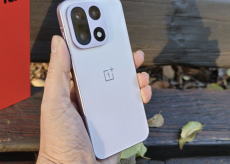
La prima ROM ufficiale Lollipop, in versione Alpha, per OnePlus One è ora on line: https://forums.oneplus.net/threads/rom-official-5-0-android-lollipop-alpha.223252/.
Questa ROM non vede la partecipazione del team CyanogenMod, per le note faccende del ban indiano, e come in ogni alpha che si “rispetti” ci sono una buona dose di bug, quindi valutate bene sul da farsi, vi allego la procedura e la lista dei bug conosciuti:
Download Oneplus_community.zip (you can find the link below) and copy the file to your phone. On a Mac, you can use Android File Transfer. If you have TWRP installed, you should see a TWRP folder, and that’s where you want to place the zip.Step 2
Boot into TWRP recovery. You can do this on your OPO by holding both the volume down and power buttons.
Step 3
Once you are in the recovery interface, the first thing you want to do is go to Wipe and do a factory reset to clean your data, cache, and Dalvik. Note that you will lose all of your files so make sure everything is backed up before continuing.
Step 4
After the wipe, go to install and find the zip you copied to your device and confirm flash. This should flash the ROM to your device.
Step 5
After flash is complete. Clear your cache again. If you have GApps, install it now. Reboot your phone.
Step 6
You should now be booted into the new ROM. Enjoy.
Download:
https://s3-ap-southeast-1.amazonaws.com/oneplusroms/oneplus_community.zip
Notes:
General
Known issues
- Data roaming is on by default. Make sure to turn if off to avoid potential charges.
- As always, flashing a custom ROM incurs the risk of bricking your phone. Make sure you know what you’re doing and backup everything.
- Camera and video may be unstable. This build supports 4k video, however quality may be low as we are still fine-tuning the camera.
- Capacitive keys do not turn off when you enable software keys.
- Clock crashes periodically.
- If using the new app pinning feature in L, make sure to turn on the software keys first. Otherwise, you will have to reboot your machine.
- On first boot, startup time will be a bit slow. Rest assured we will speed things up in the future.
- Wi-Fi may be unstable.
- This build is not elegible for OTA updates.
Articoli che potrebbero interessarti