

Valve ha annunciato il servizio Guide di Steam, che permetterà ai giocatori di scoprire trucchi e segreti dei titoli preferiti. Gli utenti potranno creare la loro guida con immagini e video di YouTube ed i lettori potranno dare un voto alle creazioni, valutando la qualità del lavoro.
Tramite la pagina ufficiale di Steam apprendiamo che chiunque può cimentarsi nella creazione delle guide, caricando immagini, screenshot e integrando video di YouTube. Le guide sono facilmente accessibili all’interno dello Steam Overlay o in qualunque “Community Hub”. La navigazione all’interno delle guide di un gioco è agevole, grazie a diverse categorie.

What are Steam Guides?
Steam Guides are player-created references for games and software, created by fellow members of the Steam Community. Whether you’re stuck on a certain puzzle or looking to find all the hidden secrets in a level, there’s probably a guide to help you through. And if there isn’t, try your own hand at creating one to help others.
Where do I find Steam Guides?
You can find guides in the Steam Overlay or from any Community Hub. You can easily find guides from whatever game you are playing on Steam: Simply open the Steam Overlay while playing a game. In the overlay, you’ll see a section dedicated to the top rated guides or any that you have recently viewed or marked as a favorite. You can easily browse for more, or open a recent guide directly from there–all without ever having to leave your game.
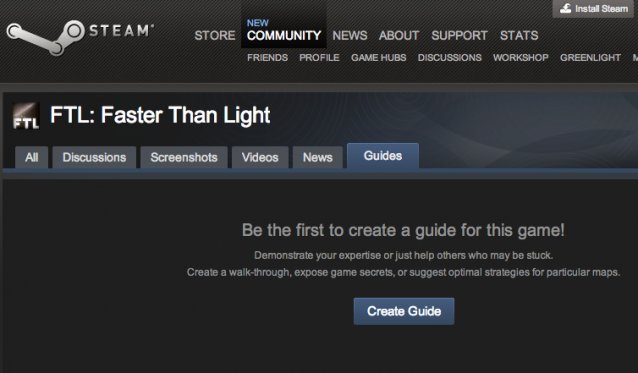
Or, you can find guides through the Steam Community by visiting any Community Hub and clicking the “Guides” tab.
Or, you can find guides through the Steam Community by visiting any Community Hub and clicking the “Guides” tab.
How do I create a guide?
You can create a guide from any Community Hub. Simply navigate to the Community Hub for any game or software you use on Steam and click on the “Guides” tab in that Hub. Then you’ll see a “Create a Guide” button in the right column.
Hot to organize your guide:
Set up a table of contents to organize your guide in whatever way makes sense for the game and the type of guide you are creating.
Add images, screenshots, videos, tables, and text
You can upload images to insert or use screenshots that you’ve already published to the Steam Community. Insert YouTube videos, create tables, and format your text to whatever suits your guide best.
Publish to the world
Once you’ve finished creating your guide, publish to make it instantly available to anyone in the Steam Community.
Articoli che potrebbero interessarti


